

One DDL command to deploy
AtScale is a Snowflake Native App. Enable it by running a CREATE XMLA ENDPOINT command in Snowsight — no separate installation, no infrastructure to manage. You are live in under two minutes.
Query Power BI and Excel natively in Snowflake Semantic Views with Live MDX and DAX / XMLA Connections.
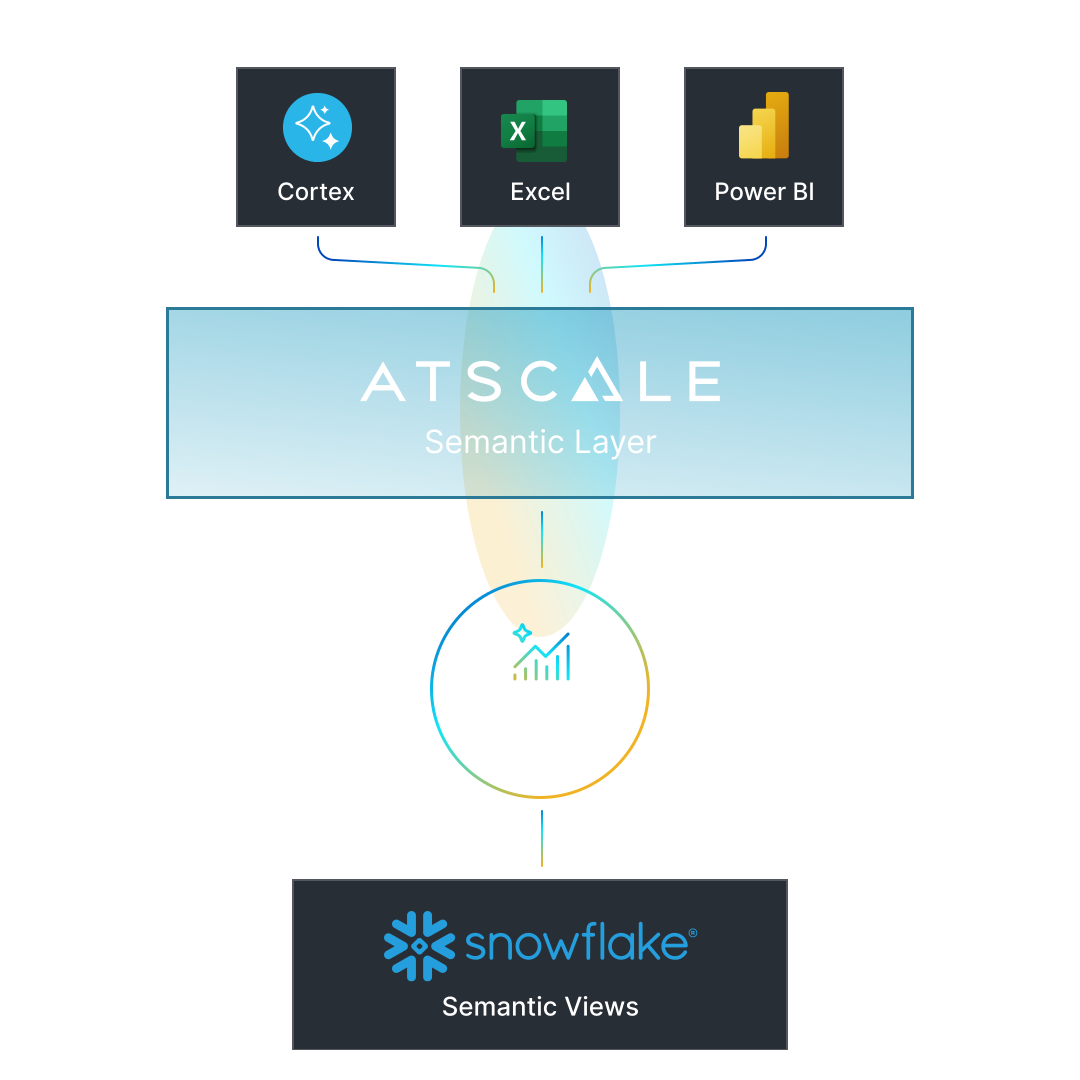
AtScale for Snowflake Semantic Views XMLA Endpoint: Private Preview Coming Soon!
Register Your InterestWhat it does
Turn on Snowflake Semantic Views XMLA Endpoint Powered by AtScale so Excel and Power BI return the same number. Every time.
There is no infrastructure to deploy, no parallel permission layer to maintain, and no separate billing relationship. AtScale for Semantic Views is the fastest path from a Semantic View to a governed, multi-tool analytics environment entirely within Snowflake.
AtScale is a Snowflake Native App. Enable it by running a CREATE XMLA ENDPOINT command in Snowsight — no separate installation, no infrastructure to manage. You are live in under two minutes.
Once the XMLA endpoint is attached to a Semantic View, Power BI and Excel connect via a live MDX/DAX connection. Analysts see the full governed model immediately — same metrics the CoCo uses, by definition.
Define revenue, margin, or any KPI once in Snowflake Semantic Views. Every downstream tool queries that single definition. No more divergent Power BI measures that disagree with CoCo.
Row- and column-level security is enforced by Snowflake policies — there is no parallel permission layer to maintain. AtScale for Semantic Views inherits the access controls already in place in your Snowflake account.
AtScale for Semantic Views appears on your Snowflake invoice. No separate vendor relationship, no new procurement motion.
Quick Start
Two-minute setup — no separate install required
Admin Setup — Snowsight
Consumer Use — Power BI
Start Smaller
Enterprise AtScale carries the same semantic definitions to every tool and warehouse you run — no migration required.